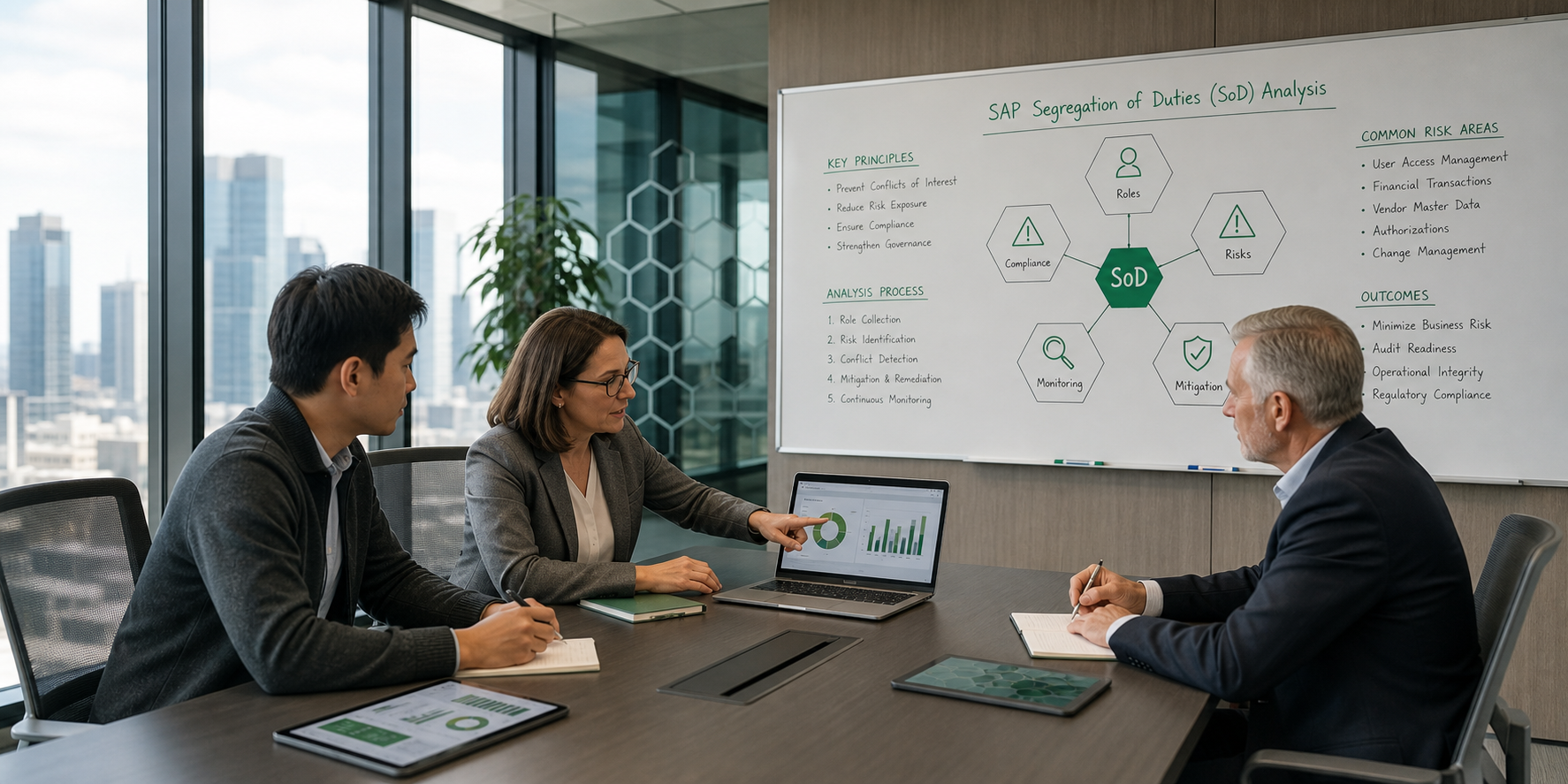


Internal audit teams working with SAP systems face a recurring challenge: gathering clear evidence of access controls, segregation of duties compliance, and risk mitigation before auditors arrive. SAP GRC software addresses this challenge by automating risk detection, streamlining access reviews, and producing audit-ready documentation in real time.
This guide covers everything you need to know about SAP GRC software for internal audit preparation and compliance monitoring. You'll learn how to evaluate solutions, implement key modules, and build a monitoring framework that keeps your SAP environment audit-ready year-round.
Key Takeaways: SAP GRC Software for Internal Audit Preparation and Continuous Compliance Monitoring
- SAP GRC software automates segregation of duties analysis, access risk detection, and compliance reporting to reduce manual audit preparation time.
- Internal auditors benefit from real-time dashboards that display current risk exposure, open violations, and remediation status across all SAP modules.
- CERPASS Software simplifies SAP access risk management with automated monitoring and audit-ready reports built on the SAP Business Technology Platform.
- Effective compliance monitoring requires a combination of preventive controls during access provisioning and detective controls for ongoing risk surveillance.
- Organizations that implement automated SoD conflict resolution can reduce audit findings by addressing violations before external auditors arrive.
What Is SAP GRC Software and Why Does It Matter for Internal Audits?
SAP GRC software is a category of enterprise applications designed to manage governance, risk, and compliance activities across SAP environments. For internal audit teams, these tools serve as the central hub for access risk analysis, control testing, and compliance documentation.
The core value for auditors lies in automation. Instead of manually reviewing user access spreadsheets or sampling transactions, GRC software performs these analyses continuously. This means your audit evidence stays current rather than reflecting a snapshot from weeks or months ago.
Modern SAP GRC solutions include modules for access control, process control, risk management, and audit management. Each module addresses a specific compliance need, and organizations can implement them individually or as an integrated suite.
How Does Segregation of Duties Analysis Work in SAP GRC Systems?
Segregation of duties (SoD) analysis forms the foundation of SAP access risk management. An SoD conflict occurs when a single user holds permissions that, when combined, create an opportunity for fraud or error. A classic example: one person who can both create vendors and process payments to those vendors.
SAP GRC software detects these conflicts by comparing user authorizations against a predefined rule set. The rule set contains hundreds of conflict definitions, each representing a combination of transactions or authorization objects that should not coexist in a single user's access profile.
When the system identifies a conflict, it classifies the risk by severity and recommends remediation options. Common remediation paths include removing unnecessary access, splitting responsibilities between users, or implementing mitigating controls when the conflict cannot be eliminated for business reasons.
Building an Effective SoD Rule Set for Your Organization
A rule set that works for one company may not work for another. Industry regulations, organizational structure, and business processes all influence which conflicts matter most to your audit team.
Start with vendor-provided rule sets, then customize based on your specific requirements. Focus on high-risk areas first: financial transactions, vendor management, payroll processing, and master data maintenance. Document your rationale for each rule to satisfy auditor inquiries.
Review and update your rule set quarterly. SAP releases new transactions and authorization objects regularly, and your business processes evolve over time. An outdated rule set creates blind spots that auditors may discover before you do.
What Access Control Capabilities Should Internal Auditors Expect?
Access control modules manage the full lifecycle of user permissions, from initial request through periodic review and eventual removal. For internal auditors, these capabilities produce the evidence trail needed to demonstrate effective governance.
Access Request Management
Modern GRC platforms route access requests through workflow-driven approvals. Each request triggers risk analysis before approval, preventing new SoD conflicts from entering the system. The workflow captures timestamps, approver identities, and justifications for every decision.
This audit trail eliminates a common finding: unauthorized or undocumented access changes. When every permission change flows through a controlled process, auditors can trace any user's access back to an approved request.
Emergency Access Management
Sometimes users need temporary elevated access to resolve critical issues. Emergency access management (often called "firefighter" access) addresses this need while maintaining control and accountability.
The GRC system logs every action taken during an emergency access session. A designated reviewer receives these logs and must approve or escalate any concerning activities. This monitoring satisfies auditor requirements for privileged access oversight without blocking legitimate emergency responses.
Periodic Access Reviews
Access reviews verify that users still need the permissions they hold. Managers receive lists of their team members' access and must certify that each assignment remains appropriate for the person's current role.
Automated access reviews through GRC software replace manual spreadsheet-based processes. The system tracks review completion rates, flags overdue certifications, and automatically removes access when reviews aren't completed within defined timeframes.
How Do Risk Management Dashboards Support Audit Preparation?
Real-time dashboards transform how audit teams prepare for engagements. Instead of compiling reports from multiple sources, auditors access a single view of the organization's risk posture.
Effective dashboards display several key metrics: total open SoD conflicts, conflicts by severity and business area, remediation progress over time, and users with the highest risk concentrations. Drill-down capabilities let auditors investigate specific issues without requesting additional reports.
CERPASS Software delivers customizable dashboards designed for operational, executive, and board-level reporting needs. The visual presentation makes compliance status immediately understandable, even for stakeholders without deep SAP expertise.
Trend Analysis for Proactive Risk Management
Dashboards that show only current state miss an important audit perspective: whether the organization is improving or declining over time. Trend analysis reveals whether remediation efforts are outpacing new risk introduction.
Track month-over-month changes in key risk indicators. A rising trend in SoD conflicts suggests that access governance processes need strengthening. A declining trend demonstrates that controls are working effectively.
What Role Does Compliance Monitoring Play Between Audits?
Annual or quarterly audits capture snapshots of compliance status at specific points in time. The gaps between audits create opportunities for control failures to go undetected. Compliance monitoring fills these gaps with ongoing surveillance.
Effective monitoring operates on two levels: preventive and detective. Preventive monitoring catches issues before they create risk, such as blocking access requests that would cause SoD conflicts. Detective monitoring identifies issues that have already occurred, such as users executing both sides of an SoD conflict.
Transaction Monitoring and Did-Do Analysis
An SoD conflict becomes a higher risk when the user actually executes the conflicting transactions. "Did-do" analysis tracks whether users with conflicting access have exercised both sides of the conflict.
This distinction matters for prioritization. A user who can create vendors and process payments but has never done both presents a different risk profile than a user who does both regularly. Did-do analysis helps audit teams focus remediation efforts where actual risk is highest.
Alert Configuration and Escalation
Monitoring becomes actionable through alerts. Configure the GRC system to notify appropriate stakeholders when specific conditions occur: a high-risk user executes a sensitive transaction, a mitigating control fails, or a previously remediated conflict reappears.
Define escalation paths for alerts that aren't addressed within expected timeframes. An initial alert might go to a security administrator, while unacknowledged alerts escalate to compliance management or internal audit leadership.
How Can Organizations Achieve Real-Time Risk Visibility?
Real-time visibility requires integration between SAP GRC software and the underlying SAP systems being monitored. Without tight integration, risk data becomes stale as users gain or lose access between data synchronization cycles.
CERPASS Software achieves this integration through the SAP Business Technology Platform, maintaining synchronization with core SAP applications. This architecture ensures that risk analysis reflects current user access rather than yesterday's data.
Simulation Capabilities for What-If Analysis
Before making access changes, risk simulation shows the potential impact. What new conflicts would arise if you assign a role to a user? What risks would be eliminated by removing a specific authorization?
Simulation prevents the introduction of new audit findings through well-intentioned access changes. Role designers can test new roles against the rule set before deploying them to production. Access administrators can evaluate requests before approval.
What Are Common SoD Conflicts That Internal Auditors Should Monitor?
Certain SoD conflicts appear consistently across SAP environments and draw particular attention from external auditors. Understanding these common patterns helps internal audit teams prioritize their monitoring efforts.
Financial Process Conflicts
Finance-related SoD conflicts carry the highest regulatory scrutiny. Watch for users who can perform multiple steps in payment processing: vendor master maintenance combined with invoice entry, invoice entry combined with payment execution, or direct access to financial posting transactions alongside approval authority.
General ledger conflicts also demand attention. Users who can both post journal entries and modify the chart of accounts create opportunities for unauthorized account manipulation.
Procurement and Vendor Management Conflicts
The procure-to-pay cycle contains numerous SoD-sensitive activities. Creating vendors, maintaining vendor bank details, processing purchase orders, and approving payments should be distributed across multiple users with appropriate oversight.
Watch for conflicts between purchasing and inventory management. A user who can receive goods and also process the invoice for those goods could confirm receipt of items that never arrived.
Human Resources and Payroll Conflicts
HR data carries both financial and privacy implications. Users should not be able to both maintain employee master records and process payroll calculations. Creating "ghost" employees for fraudulent payments becomes much easier when one person controls both processes.
Access to salary data should be separated from the ability to modify compensation. This prevents unauthorized salary adjustments that might not surface until external audit or employee complaint.
How Do Mitigating Controls Address Unavoidable SoD Conflicts?
Not every SoD conflict can be eliminated through access changes. Sometimes business requirements demand that specific users hold conflicting authorizations. Mitigating controls address these situations by adding oversight that reduces the associated risk.
Common mitigating controls include management review of transactions, independent reconciliation of activity, system-enforced approval limits, and periodic sampling of executed transactions. The key is documenting both the business justification for the conflict and the control that reduces its risk.
Documenting Mitigating Controls for Auditors
Auditors expect clear documentation that connects each mitigated conflict to a specific control. The documentation should include the conflict description, the business reason the conflict cannot be eliminated, the control owner, the control frequency, and evidence that the control is operating.
SAP GRC software maintains this documentation within the system, linking mitigating controls to specific users and conflicts. This centralized approach ensures that control documentation stays current and accessible when auditors request it.
What Steps Prepare Your Organization for SAP Compliance Audits?
Audit preparation should be an ongoing activity, not a last-minute scramble. Organizations with mature GRC programs maintain audit-ready status continuously rather than preparing intensively before each engagement.
Pre-Audit Risk Assessment
Run a fresh risk analysis before auditors arrive. Identify any open SoD conflicts and document your remediation or mitigation approach for each. Auditors will ask about high-severity conflicts, so prepare explanations in advance.
Review access review completion rates. Overdue certifications suggest weak governance and often draw auditor attention. Address any backlogs before the audit begins.
Evidence Preparation and Documentation
Compile standard evidence packages that auditors typically request: user access reports, SoD conflict analyses, mitigating control documentation, access request logs, and emergency access session records.
With CERPASS Software, generating this documentation becomes a routine task rather than a project. Real-time reports and dashboards eliminate the need to compile historical data manually, giving audit teams immediate access to the evidence they need.
Control Testing and Self-Assessment
Internal audit teams should test their own controls before external auditors do. Execute sample transactions to verify that preventive controls block inappropriate access. Review monitoring logs to confirm that detective controls are capturing expected events.
Self-assessment identifies control gaps while there's still time to address them. A control that fails during internal testing can be corrected. The same failure during external audit becomes a finding.
How Should Organizations Approach Role Design for Compliance?
Well-designed roles prevent SoD conflicts at the source. When roles follow the principle of least privilege and align with actual job responsibilities, users receive only the access they need, reducing conflict potential.
Role-Based Access Control Principles
Effective role design starts with business process analysis. Understand what tasks each job function performs, then build roles that support those tasks without unnecessary additional access. Avoid "catch-all" roles that accumulate permissions over time.
Test new roles against your SoD rule set before deployment. A role that contains internal SoD conflicts will propagate those conflicts to every user who receives the role. Catching design problems early prevents widespread access issues.
Periodic Role Reviews and Optimization
Roles require maintenance just like user access. Business processes change, new transactions are introduced, and role scope creeps over time. Schedule periodic reviews to identify roles with unused permissions or unnecessary risk.
Usage analysis reveals which transactions within a role are actually being executed. Permissions that no users exercise may be candidates for removal, reducing both risk and maintenance complexity.
What Technical Requirements Support Effective SAP GRC Implementation?
Successful GRC implementation depends on proper technical foundation. Integration points, data extraction methods, and system architecture all influence how effectively the solution operates.
Integration with SAP Systems
GRC software must connect to all SAP systems containing access data relevant to your compliance scope. This typically includes production ERP systems, SAP S/4HANA environments, and potentially other SAP applications like SuccessFactors or Ariba.
Evaluate how each solution handles integration. Some require significant infrastructure and implementation effort. Others, like CERPASS Software, are built natively on SAP technology and connect with minimal complexity.
Cloud vs. On-Premise Deployment Considerations
Deployment model affects ongoing maintenance, upgrade cycles, and total cost of ownership. Cloud-based GRC solutions receive regular updates without project effort from your team. On-premise solutions require planned upgrade cycles and infrastructure management.
Data residency requirements may influence deployment decisions. Some organizations prefer that sensitive access data remain on internal infrastructure. Others accept cloud deployment when appropriate security controls are in place.
How Do Automation and AI Enhance SAP GRC Capabilities?
Automation reduces the manual effort required for routine GRC activities. Scheduled risk analyses run without human intervention. Access reviews route automatically to appropriate approvers. Reports generate on demand without manual data compilation.
Intelligent Risk Prioritization
Advanced GRC solutions use analytics to prioritize risks based on multiple factors: conflict severity, user activity patterns, historical violation rates, and business context. This intelligence helps audit teams focus on the issues that matter most.
Machine learning can identify unusual access patterns that rule-based analysis might miss. A user whose access profile suddenly expands or whose transaction patterns change significantly may warrant investigation even without triggering specific rule violations.
Automated Remediation Workflows
When the system identifies a risk, automated workflows can initiate remediation without manual intervention. Access requests that would create SoD conflicts route to additional approvers. Users with unmitigated high-risk conflicts receive automatic notifications to their managers.
Automation doesn't replace human judgment but amplifies human capacity. Staff can focus on complex decisions while routine processes execute consistently in the background.
What Metrics Should Organizations Track for GRC Program Effectiveness?
Measuring GRC program performance helps demonstrate value to stakeholders and identify areas for improvement. Track metrics that reflect both risk reduction and operational efficiency.
Risk Reduction Metrics
Monitor the total number and severity distribution of open SoD conflicts over time. A well-functioning program should show declining or stable conflict counts as remediation outpaces new risk introduction.
Track the percentage of conflicts covered by mitigating controls. High-severity conflicts without mitigation represent the highest-priority remediation targets.
Operational Efficiency Metrics
Measure the time required to process access requests from submission to provisioning. Effective GRC automation should reduce cycle times while maintaining control quality.
Track access review completion rates and average completion time. High completion rates indicate engaged managers and well-designed review processes.
What Implementation Approach Maximizes GRC Program Success?
GRC implementation success depends on more than technology selection. Organizational readiness, stakeholder engagement, and change management all influence outcomes.
Phased Implementation Strategy
Implement GRC capabilities in phases rather than attempting a complete deployment at once. Start with core access risk analysis and SoD detection. Add access request management once risk analysis is stable. Layer in emergency access management and periodic reviews as the program matures.
Each phase should deliver measurable value before progressing to the next. This approach builds organizational confidence and identifies issues early when they're easier to correct.
Stakeholder Engagement and Training
GRC programs require participation from multiple stakeholder groups: security administrators who manage access, business managers who approve requests and certify reviews, compliance officers who oversee risk mitigation, and internal auditors who rely on GRC output.
Train each group on their responsibilities within the GRC process. Managers who understand why access reviews matter will complete them more thoughtfully. Security administrators who understand risk analysis will make better provisioning decisions.
FAQs About SAP GRC Software for Internal Audits
What is the main purpose of SAP GRC software for internal audit teams?
SAP GRC software automates the detection and documentation of access risks, SoD conflicts, and control effectiveness that internal auditors must verify. CERPASS Software produces audit-ready reports and dashboards that demonstrate compliance status in real time, reducing the preparation effort required before audit engagements.
How quickly can organizations implement SAP GRC software?
Implementation timelines vary significantly by solution complexity. Enterprise GRC suites may require months of implementation effort. CERPASS Software, built on the SAP Business Technology Platform, can be operational within days, offering rapid time to value for organizations seeking quick compliance improvements.
What is the difference between SoD remediation and SoD mitigation?
Remediation eliminates an SoD conflict by removing or reassigning access so the conflict no longer exists. Mitigation addresses conflicts that cannot be eliminated by implementing oversight controls that reduce the associated risk. CERPASS Software supports both approaches with automated risk analysis and documented control tracking.
How does real-time compliance monitoring differ from periodic audits?
Periodic audits capture compliance status at specific points in time, potentially missing issues that arise between reviews. Real-time monitoring through solutions like CERPASS Software maintains ongoing surveillance, detecting and alerting on risk changes as they occur rather than waiting for the next scheduled assessment.
What should organizations prioritize when selecting SAP GRC software?
Focus on integration capabilities, ease of use, and total cost of ownership. The solution should connect to your SAP landscape without excessive implementation complexity. Dashboards and reports should be intuitive enough for non-technical stakeholders. Consider ongoing licensing, maintenance, and upgrade costs alongside initial implementation investment.
How do mitigating controls satisfy auditor requirements for unresolved SoD conflicts?
Auditors accept mitigating controls when organizations can demonstrate that the control effectively reduces risk and operates as designed. Documentation should include the business justification for the conflict, control description, control owner, operating frequency, and evidence of execution. CERPASS Software centralizes this documentation for easy auditor access.